|
Welcome,
Guest
|
|
|
I checked the same fuction in your Demo site and it has the same issue.
|
|
The administrator has disabled public write access.
|
|
CarlosEVC63 wrote:
I checked the same fuction in your Demo site and it has the same issue. Demo site is working fine. You will find options at top right. click on that and under configuration you will find options to enable/disable videos and images. |
|
The administrator has disabled public write access.
|
|
sweta wrote:
CarlosEVC63 wrote:
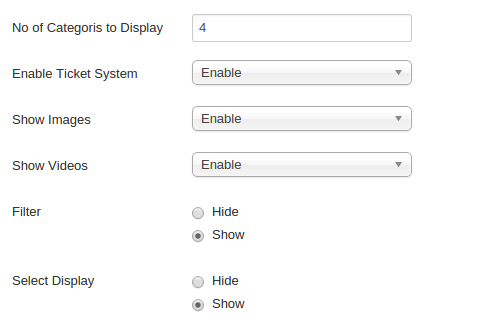
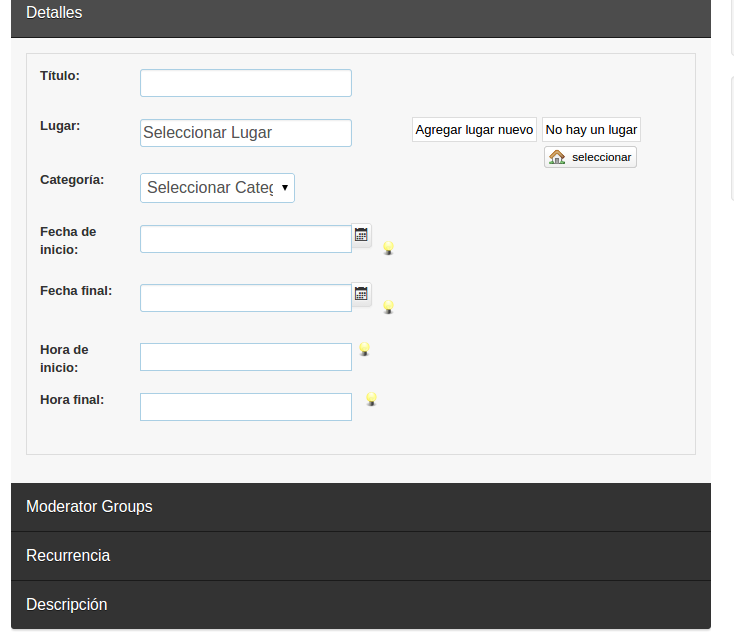
I checked the same fuction in your Demo site and it has the same issue. Demo site is working fine. You will find options at top right. click on that and under configuration you will find options to enable/disable videos and images.Hi Sweta, thank you for answering. Unfortunatelly, I have the option set to show images and videos but still it does not show it. Here I enclose the screenshots for them. Additionally, I enclose the screenshot for the demo, where i cannot see the button for image uploads in Event Submission screen. Looking to your advice, Carlos

Attachments:
|
|
Last Edit: 11 years 10 months ago by CarlosEVC63.
The administrator has disabled public write access.
|
|
.
|
|
Last Edit: 11 years 10 months ago by CarlosEVC63.
The administrator has disabled public write access.
|
|
CarlosEVC63 wrote:
sweta wrote:
CarlosEVC63 wrote:
I checked the same fuction in your Demo site and it has the same issue. Demo site is working fine. You will find options at top right. click on that and under configuration you will find options to enable/disable videos and images.Hi Sweta, thank you for answering. Unfortunatelly, I have the option set to show images and videos but still it does not show it. Here I enclose the screenshots for them. Additionally, I enclose the screenshot for the demo, where i cannot see the button for image uploads in Event Submission screen. Looking to your advice, Carlos Event submission is now made in three steps. When you click submit and next it goes to the image upload screen and once image upload is over it goes to video upload. Just submit once you will find it... |
|
The administrator has disabled public write access.
|
|
Thank you. I can see now. It works.
There are a couple of inconsistences now: 1. Image can not be uploaded in front end for the venue submission. Well, it can be selected but it is not saved after pressing the SAVE button. 2. An image uploaded for an event appears in different places depending if it was uploaded in the back end or in the front end. The uploaded image in the backend appear in front of the Title an not in the Images section. Waiting to your answer Carlos |
|
The administrator has disabled public write access.
|
|
|
kontera Ads
Price $0.00 |
|
Best Answers
Price $0.00 |
|
Code Seller
Price $0.00 |
|
Stop User Edit
Price $0.00 |
|
Event management
Price $0.00 |
Tweets by @scriptplaza